Packaging and label designers
Your portfolio is full of renders. Clients want to see it printed.
A flat mockup proves you can use a template. A photograph of the printed job proves the job printed well.
Sized and staged for Behance · Instagram · Dribbble

Design portfolios in this discipline have a credibility problem, and everybody in the industry knows it. Nine out of ten packaging projects are presented as renders on the same handful of mockup files, which means the portfolio proves the designer can make a file — not that the file survived contact with a printer.
The work that wins pitches is the work photographed after production: the actual foil, the actual varnish, the actual way the label sits on a curved bottle. That requires the client to send you a sample and you to photograph it well, and the second half is where it usually stops.
Why your photos are costing you sales
Printed finishes are exactly what a phone photograph loses. Foil needs a light source moving across it to read as foil; spot varnish only exists as a difference in reflection; embossing is invisible in flat light and obvious in raking light.
So the sample sits on a shelf in the studio, undocumented, while the render goes in the portfolio — and the client who wanted to see how it actually printed sees a computer image instead.
The scenes that suit your work
A handful chosen for what you sell, out of the full library.

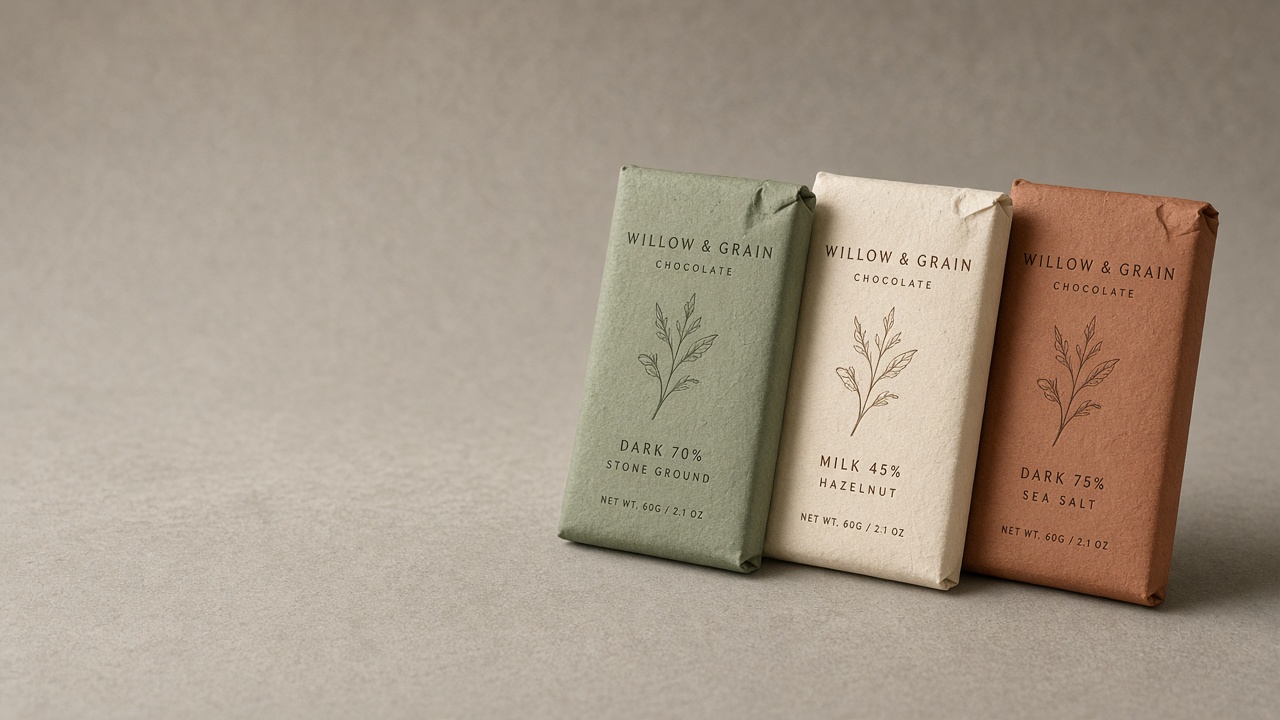
It has to still be your item
Because it restages a photograph of the printed piece rather than compositing artwork, the finish in the result is the finish that came off the press. The typography is the typography that printed, at the size it printed, with the registration it actually got.
That cuts both ways and it should. If the printer drifted, the photograph shows it — which is more useful to you than a render that never disappoints.
- Portfolio images of the printed job, not another template render
- Foil, varnish and emboss shown in light that makes them read
- Several presentation settings from one sample photograph
- Case-study images your client can reuse on their own shop
Three steps, about a minute
01
Upload your photos
Two or three angles on a phone is plenty. We cut the background automatically.
02
Pick your scenes
Tick as many as you like from 56 staged settings, or describe your own.
03
Get your shots
They arrive together in your gallery, ready to download for a listing or a post.
Questions people ask before they sign up
- Do I need a printed sample?
- Yes, and that is the point of it. If you only have a file, a mockup generator is the right tool. This is for showing what production actually produced.
- Will foil and spot varnish read properly?
- They read as well as your reference photograph shows them. Photograph with light raking across the surface rather than straight on, which is what makes a finish visible.
- Can my client reuse the images?
- Nothing stops them, and most designers hand them over as part of the deliverable — the client gets shop images and you get portfolio images from the same shoot.
- Does the typography stay exactly right?
- It stays exactly as printed. Altered text is excluded on every generation, which for a designer is the whole ballgame.
Written for your trade
Practical pieces about photographing what you sell, rather than general advice about cameras.
Handing over images the client can actually use
You designed the packaging and photographed the sample. Six months later the client is selling it with photographs taken on a warehouse floor.
3 minute read
Why renders undersell printed work
A 3D mockup shows your design. A photograph of the printed box shows that it exists, that it folds correctly, and that the foil catches light.
3 minute read
Photographing foil, varnish and emboss
The client paid for the foil. In a flat, evenly lit photograph it is a slightly grey rectangle, and the invoice looks harder to justify.
4 minute read
Also sells like you
Your portfolio is full of renders. Clients want to see it printed.
Start with 3 free images. No card, no account.
Try it free